One of the perennial struggles I often hear fellow authors complain about is making ebooks. It seems like it should be very simple. After all, it’s mostly just text! But creating a file that will work on every possible e-reader your fans might have is less simple.
The epub format is a package of other files: text, styles, images, and so on, which all e-readers know how to read. (Kindles have a proprietary format, but Amazon converts to it directly from epub.) So these days, just an epub should be all you need to create a good ebook.
Epubs can be very simple: plain text with no font applied, no images, a simple table of contents. And this will do the job; readers can change the font to their preference or use a screen reader. If, however, you want your epubs to look pretty and unique, you’ll end up down a rabbit hole that’s virtually bottomless.
There are quite a few programs you can use to make a good epub out of your books. In my quest to make my ebooks look exactly the way I want them to, I’ve tried many of them. In this post, I’m going to share my experiences, hopefully in the interest of helping you pick a program that will do what you need.
Types
There are basically three main types of epub makers. First, there are programs that will create an epub for you on the side of whatever their main function is: this is true of Word, Google Docs, Scrivener, and InDesign. The output will depend entirely on how your original document is formatted—and what played well in your original document may not work in the epub it makes. However, with some trial and error, you may be able to figure out how to get good results from these. I never have, so I won’t go into them. If you try this option, make sure you preview your epub in an e-reader program or app (on desktop, I use Calibre for this; on my phone, Moon Reader) to see if it turned out how you wanted.
The second type are CSS editors, in which you can directly mess with the code of the epub to get it how you want. You have complete control—if you know how to write CSS, and moreover the kind of CSS that epubs specifically use. This type includes Calibre and Sigil. I don’t know how to code, so I’ve used these only minimally, to do small edits in an epub I already had. That is the one thing they can do that the others can’t—open an existing epub and allow you to add a cover, some links, or whatever your other program wasn’t able to do.
The final type is a dedicated epub editor which does the code on the back end to allow you to edit the front end. These are popular with indie authors and include Atticus, Vellum, Kindle Create, and others. I’ve tried many of them, so these are what I’ll review.
There’s always a tradeoff with these between ease and control, so I’m going to start with the easiest and move toward the most customizable.
Draft 2 Digital
Draft 2 Digital mainly publishes ebooks, but they will also help you make your epub. There’s a tool on their website where you upload a .docx and make a few selections, and it makes your epub right there.
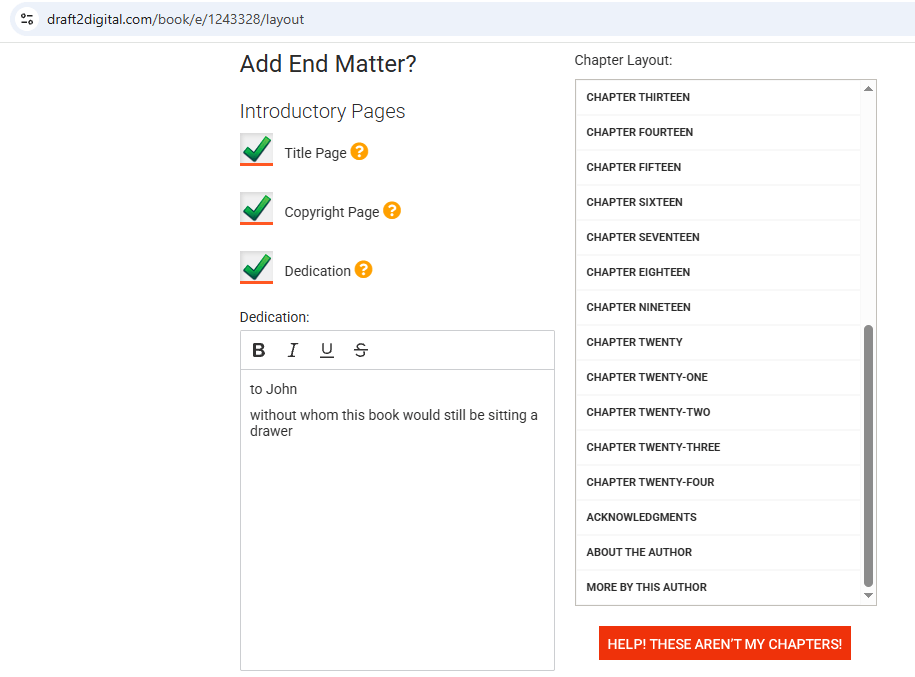
You have very little control of the results. When I’ve used this, I’ve had to go back to my document over and over to get a fresh .docx to import, because any real change you want to make, you have to make in your document ahead of time. Within the editor, you’re basically filling out some boxes for copyright and so on, and then picking your theme. Anything more complicated—you want a link to your website, for instance—you’ll have to do in the document before uploading.
One neat feature it has is some “smart” end matter pages that automatically link your other books, insert your bio, and so on. If you’re already using D2D for publishing and your universal book links, that can be really handy.
It has several themes, specialized for different genres. Sometimes I spot them in ebooks I read and I’m like heyyy, I know where you made that! You can’t change anything about the theme, just pick one.
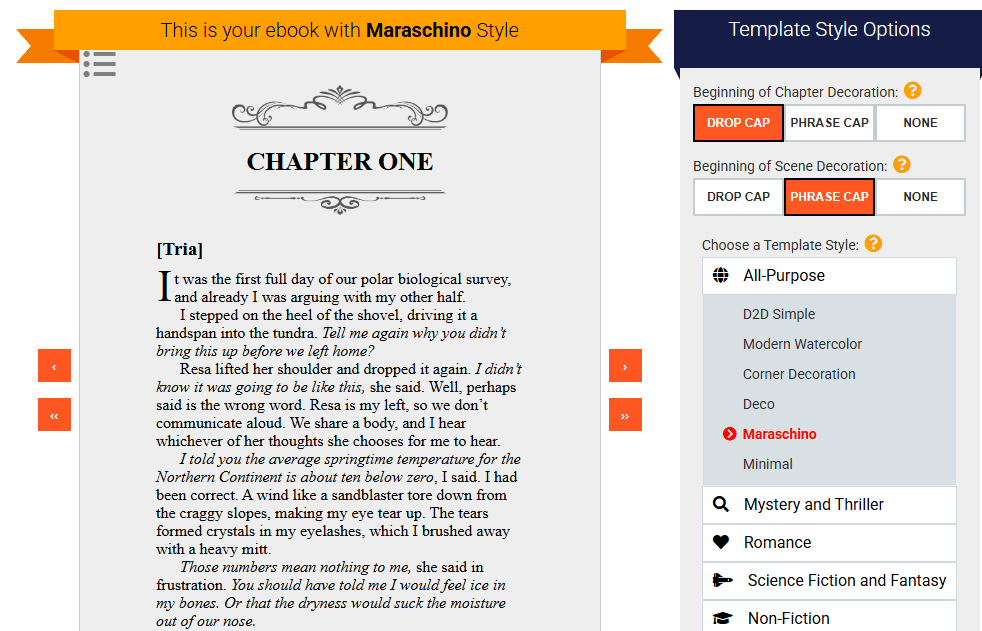
In the end, it couldn’t manage my character list at the beginning. It could only read it as a chapter or nothing. So I abandoned D2D pretty quick. I will say, the themes are nice and if your book is a simple matter of chapters with ordinary text in them, it may work fine for you. And it’s free!
Kindle Create
Kindle Create is a free download you can get from Amazon. It’s a what-you-see-is-what-you-get (wysiwyg) editor, so you’ll be able to see the effects of every change you make and apply styles directly to specific text. It could handle the character list. I could also insert pictures, which allowed me to make my first successful epub of Bisection.
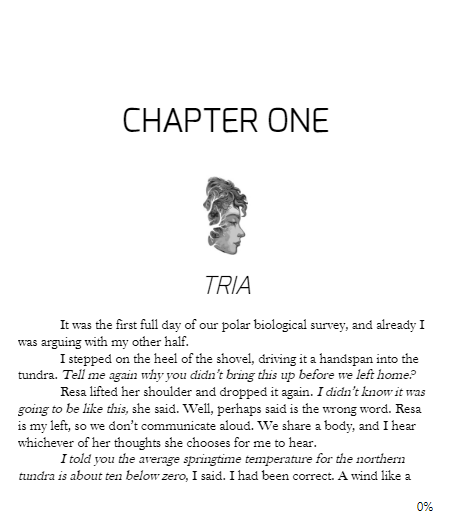
Like D2D, it has themes, though not as many (only four). I didn’t especially like any of the choices. But it was the main thing I used for a while, because it was the only free epub editor that gave me any control.
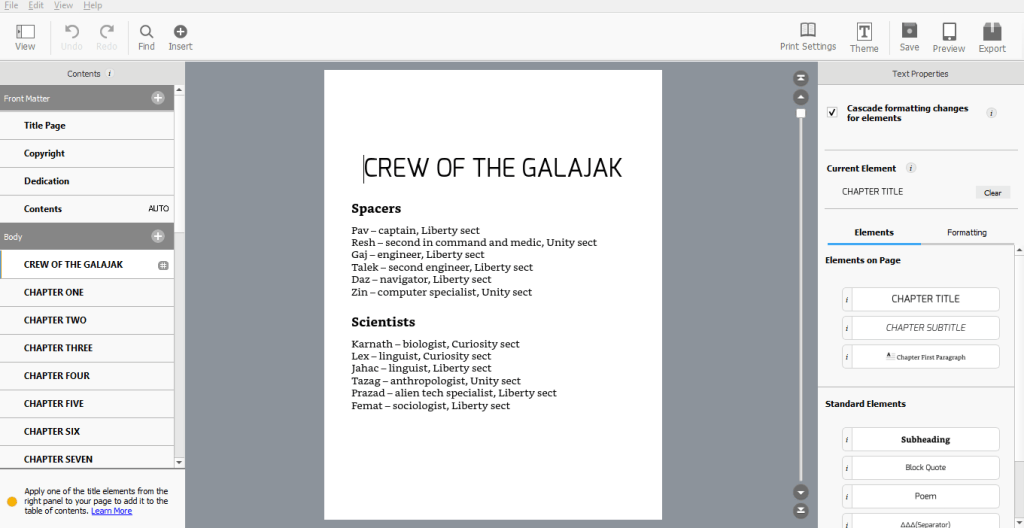
I always took my epub back over to Calibre for some last minute polishing: inserting links I hadn’t included in my document and adding a cover. Calibre is free, and those two things are easy enough to do, so I recommend it for any small edits you want to make for an epub you’ve made elsewhere that you’re not 100% happy with.
Atticus
Around when I was republishing the Imperial Mars trilogy, I splurged on Atticus. It’s not cheap—$147, as a one-time purchase. But it is a powerful tool which did most of what I wanted. It has lots of fonts and assets, so you are virtually unlimited in what you can make your epub look like. And it also makes pdfs, meaning you can do your print and epub versions at the same time, with roughly the same file.
It’s not a wysiwyg editor: you do things to the text in one view, and then play with the styles in another view. That does result in some back-and-forth as you try different things.
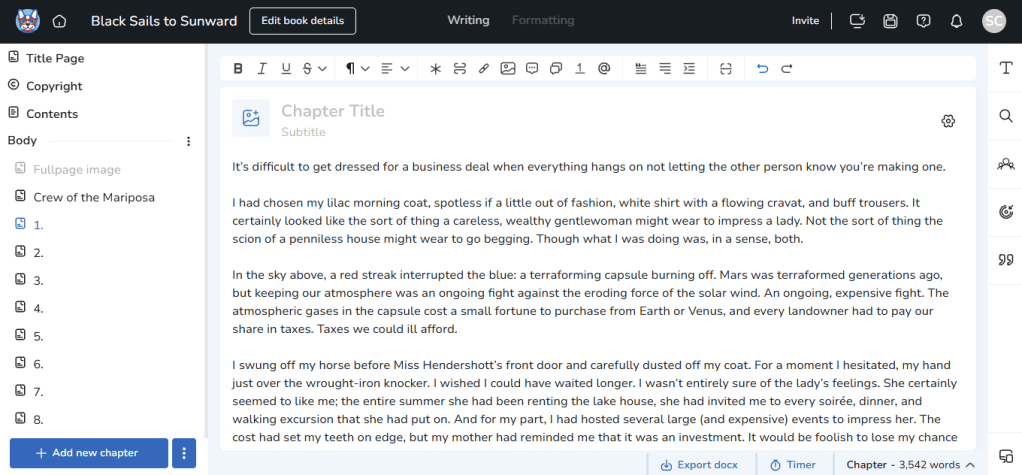
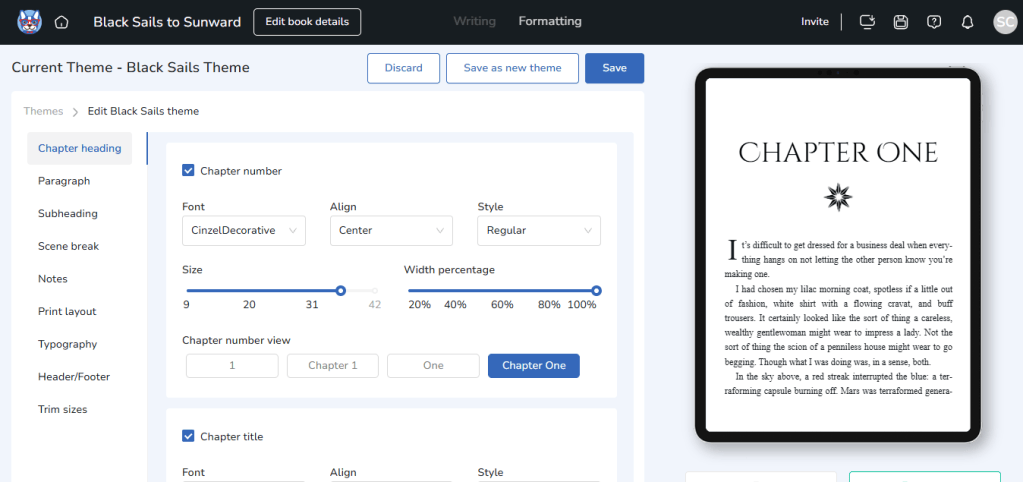
It’s been my main epub maker for about a year; all my current ebooks were made with Atticus. I don’t use it for pdfs unless I’m in a hurry—you get more control with InDesign, and I happened to have that already.
My favorite thing about it is probably that, since the text and the themes are separate, you can simply apply a fresh theme to existing text, or make the sequel the exact same theme as the first book. So the very thing that is kind of a nuisance—the back and forth between views—is also an asset in some ways. If you’re doing a long series, and you want to put the same theme on 20 books, you can do that very easily. If you later decide you want to change all 20 to something else, you can do that too.
It has a few neat features that none of the others I’ve tried have. For instance, while it doesn’t allow you to make your own custom styles, it has a few specialized styles that I’ve found useful: a hanging indent style (which I use for my glossary), a call-out box style, and even a collection of styles for formatting text messages, which turn out looking very nice in the finished epub.
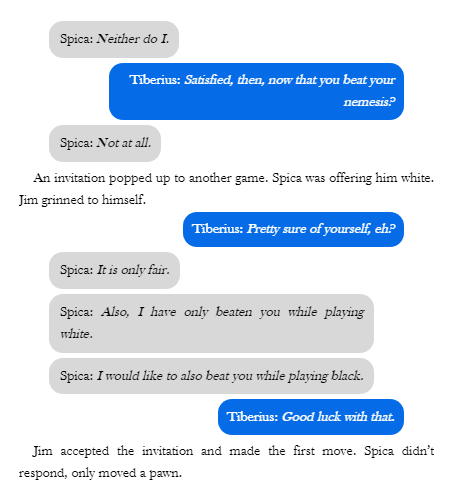
My main complaint with it is that it is very slow and laggy in my browser. This is partly my fault; I have too many tabs and not much RAM. But other users complain of the same. This can get really annoying when there’s a lot to fix in the upload…which, despite their helpful instructions on how to format the document first, there often is. When it comes time to actually show me what the theme looks like in the preview window, it can take several minutes!
The second complaint is that the fonts it has are it. You can’t add new ones. This means that I was not able to use the cool free font I used in the print copy of the Imperial Mars books and had to use Cinzel Decorative for the chapter headings. Cinzel Decorative is really overused and basic, but it was the closest I could get to the vibe of the book. (Atticus will let you use any font on Google Fonts, which is quite a lot of fonts! But it’s not infinite.)
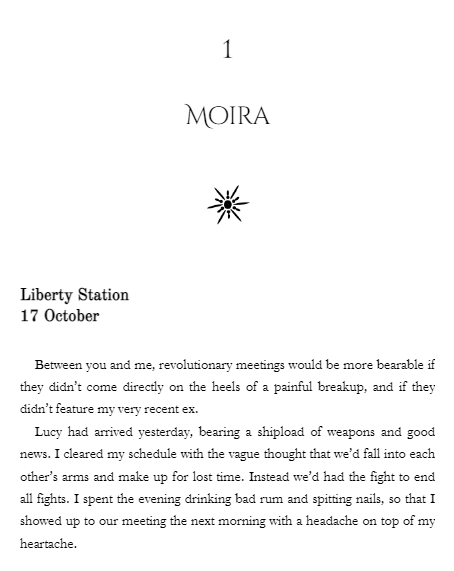
You can see how my standards have been raised: Kindle Create left me wishing for more than four possible chapter headings, and now I have virtually infinite possibilities but only hanker for the one I haven’t got!
Finally, it hasn’t always rendered properly on various devices and programs. For instance, it allows you to upload your cover, but that cover never displays when I’m trying to preview the epub. When selling an epub in an ebook storefront, this doesn’t matter, because the storefront displays the cover on its own. (This is presumably why D2D and KC don’t have this feature at all.) But I do also sell ebooks independently on itch and my own storefront, and I would really like the epubs to display the cover! Worse, adding the cover in Calibre made the title page vanish. Apparently I could only have one or the other.
Vellum
As I understand it, Vellum is the same kind of thing as Atticus, but better. Its users love it. The only problem? It’s Mac only. I don’t have a Mac, so I’ve never tried it.
Byte Binding
This one is new, and I’ve been one of the beta testers. It’s an attempt to solve the control issue: the way epub makers either require you to know how to code, or stick you with limited options they have preloaded. This one requires no coding, but it also gives you very fine-grained control over the results. Thus it’s much more like other editors you may have used, like Word or InDesign, where you can simply format the text in front of you, and not much is automated.
Of the different options I’ve tried, it’s most like Kindle Create to work with: a wysiwyg editor, which allows you to monkey directly with the text while you can also see what it will look like. But unlike KC, it gives you full control over fonts, styles, and so on.
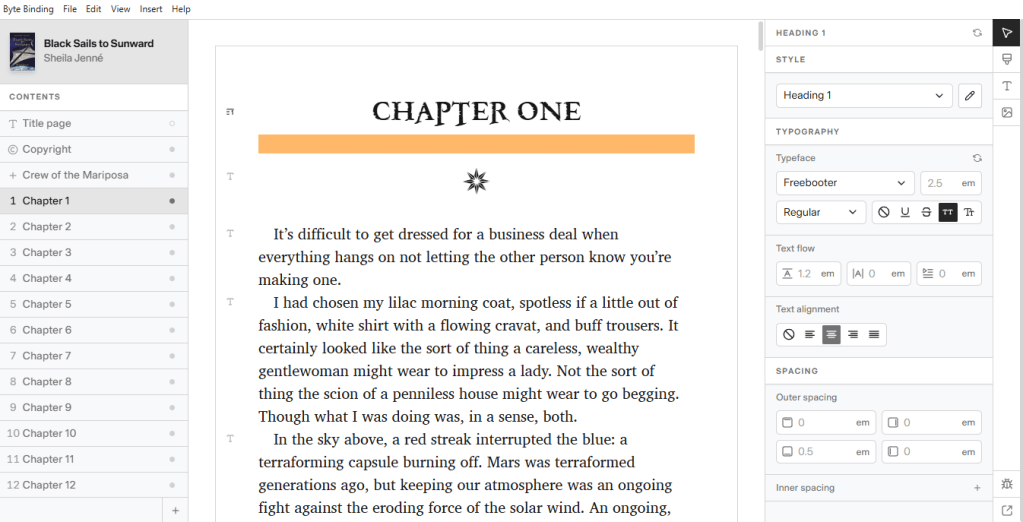
This is the only epub maker I have used which allows you to upload your own fonts. (It is important to note that with great power comes great responsibility: now it’s up to you to make sure you have the right to use those fonts! There is a place to upload your license so that you can prove you do.) It is also the only epub maker that allows you to create custom styles. Other editors limit you to headings, blockquotes, normal text, and so on, but in Byte Binding I can create a style that’s just for the glossary or the character list and apply it there. So, while it doesn’t have a special “text message” style, you can easily make your own, as I did just this morning.
There’s a tradeoff here between control and ease: if you want, say, a picture at the head of every chapter, you’ll have to insert it on each chapter yourself. Fortunately it does handle scene breaks on its own, so that’s something you only have to change once.
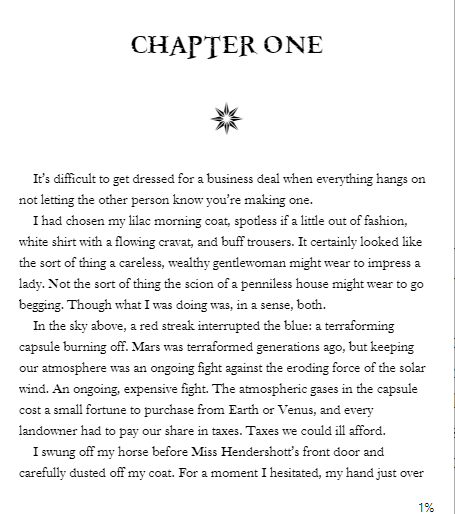
When I first tried it, it didn’t detect my chapters properly and I got frustrated and quit. But coming back a few updates later (and especially after reading the instructions) I managed to get it to work very well. Within an hour or so I’d managed to make an epub of Black Sails to Sunward that looks exactly like the print version, with all the same fonts and images.
Another neat thing about it is that it has a “preflight” panel that points out any problems with your epub before you export. It found a lot of minor mistakes for me which otherwise might go out into the world unfixed.
Since it’s a new and relatively unknown program, I should also add it’s been free of any lags, glitches, or epubs that didn’t render properly on various devices. The cover I uploaded appears in every app I view it with. The finished epubs are also much smaller than my others, for whatever reason. That’s important, when Amazon charges a little for the file delivery—smaller file, more profit I keep.
I love Atticus, I do. And the sunk cost fallacy makes me want to get my money’s worth out of it. But Byte Binding may end up being my first choice from here on, because I love control. So far there hasn’t been anything I’ve wanted to do and not been able to. I will probably keep using Atticus when I’m in a hurry—say, when I’ve got a file I simply want to slap one of my existing themes on and call it a day. But for the ebooks that I’m actually publishing, which I want to have the exact look of my brand… there is nothing but Byte Binding to give me total control there.
The upshot
There isn’t one right answer for everyone. It really depends on your book, on what you want it to look like, and how much time and money you want to spend.
For a free option, I prefer Kindle Create. Although it has fewer themes than D2D, it gives you just enough control to make the headings you want and break the chapters properly. D2D is also fine, but you’ll have to make sure your document is formatted to their instructions before you upload.
If you’d rather spend money to save time, and you want to create your own themes, I recommend Atticus. While the initial setup takes a little time, you can save the theme you make and apply it to as many ebooks as you like. You can make very pretty ebooks, and while you don’t have complete control, the options you do have are quite broad.
If you’re a font and layout nerd who has something very particular you want, or if your book has any features that will require complicated styles, Byte Binding is basically your only option. It can do pretty much anything the format is capable of. The price is also quite a bit cheaper than Atticus or Vellum: $39.99 currently. The free trial includes all the features, so you can test it out to see if it works for you.
A note on formatting your documents
You may notice a recurring theme here that it very much matters what your document looks like when you upload it. Pretty much all these programs want to start with a .docx, but just because your manuscript is already a .docx doesn’t mean it’ll work well with any of them. So here are a few basic steps to use as you draft or before uploading.
- Include front and back matter. Even though these aren’t technically part of the book, having a separate page for copyright, acknowledgements, etc. will save you time. It’s pretty much always faster to do things in a document editor than in the epub maker. (Exception: Draft 2 Digital wants to do that stuff for you.)
- Use Styles. In most document editors (Word, Libre Office, Google Docs, Ellipsus, Scrivener) you have the choice to edit the formatting on a piece of text individually, or you can use “styles.” You can pick among Normal Text, Heading 1, Heading 2, etc. Epubs rely heavily on styles, and therefore all of these programs will parse your text a lot better if your chapter headings are all Heading 1, subtitles Heading 2, and so on. (Byte Binding also did much better at detecting my chapters if I had a page break before each.)
- Use a symbol for scene breaks. I used to always use a few hard returns for scene breaks. This doesn’t fly at all when converting to epub, because epub doesn’t actually do hard returns. Either the scene would glom onto the scene before it, or it would be detected as a separate chapter. If, as you draft, you always throw a *** or # on a blank line, you can find and replace it to another symbol later if you want. But you can’t find and replace a blank, which means you will have to do it manually, and you may miss one.
In some editors, failing to follow these steps will result in an unusable epub with 2000 “chapters” or one massive chapter. In others, you’ll simply have to do a lot of tedious work inserting scene breaks or chapter headings on your own. But it’s always easier to fix things in the document than in the epub editor, so get in the habit of using Styles and formatting consistently throughout. This will help you make your print copies as well. (I could make a whole other post about the griefs of trying to use InDesign when my document secretly has slightly different styles I didn’t know about!)
Updates
It’s been a quiet month for book sales, and I’ve got my nose to the grindstone lately on both the robot book and the audiobook of Black Sales to Sunward. But I do have a few pieces of news:
- The Spaceships and the Stars itch bundle is still available, with 21 books for $21.
- Archive of Our Own is down, a dark time for fic lovers everywhere. To help console the community, I put Valet to the Prince on .99 sale. After it’s kind of a fic of the Imperial Mars series.
- If you’re interested in being an ARC (ALC???) listener for the Black Sails to Sunward audiobook, you can sign up here.
- The reason I published this post today is that Byte Binding is now available for public release. Full disclosure, I met the developer on Discord in a conversation about how frustrated we all were with the existing epub editor options, and I’ve been working with him on beta testing and suggesting features. I haven’t actually been hired to market it, I’m just enthusiastic about there being more options. I did receive a free copy for review.

